Breaking Language Barriers in Healthcare: Redesigning Canopy Speak
Breaking Language Barriers in Healthcare: Redesigning Canopy Speak
Breaking Language Barriers in Healthcare: Redesigning Canopy Speak
Transforming how healthcare professionals learn medical languages through AI-powered simulations, specialty-based learning paths, and gamified progression helping providers communicate confidently with diverse patient populations.
Transforming how healthcare professionals learn medical languages through AI-powered simulations, specialty-based learning paths, and gamified progression helping providers communicate confidently with diverse patient populations.
The Problem
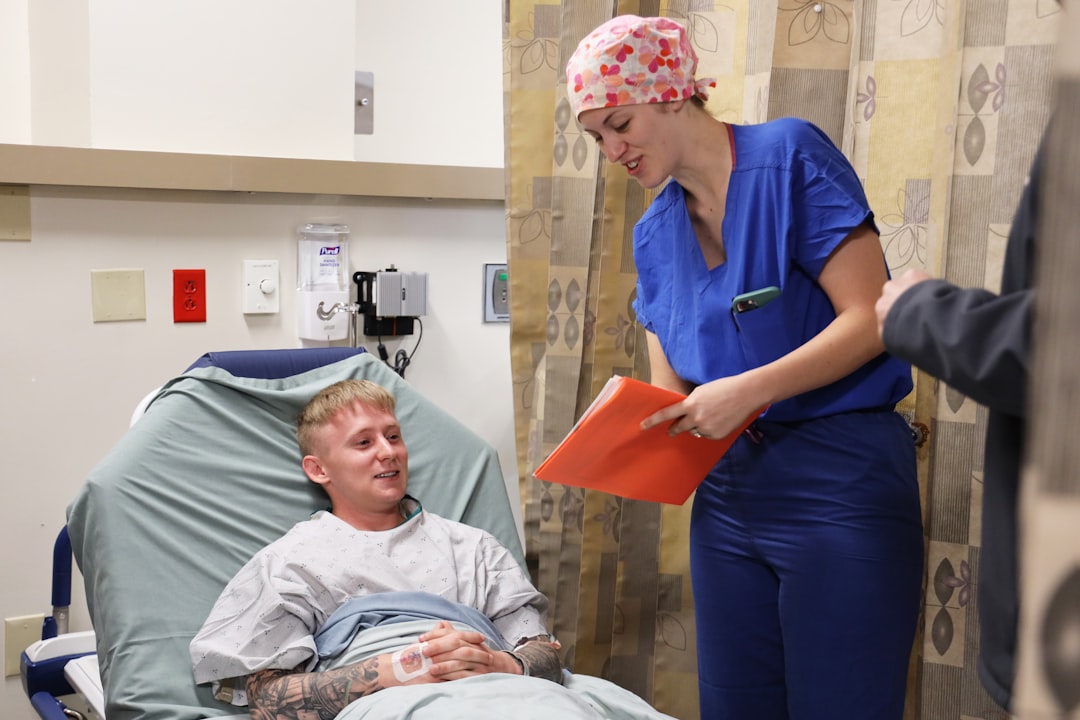
It’s 2 AM in the emergency room. A nurse rushes to treat a Spanish-speaking patient experiencing severe chest pain. Every second counts, but there’s a problem the hospital interpreter isn’t available, and the patient doesn’t speak English. The nurse pulls out her phone, frantically scrolling through a language app, trying to find the right phrases while the patient grows more anxious.
This moment of desperation shouldn’t exist.
It’s 2 AM in the emergency room. A nurse rushes to treat a Spanish-speaking patient experiencing severe chest pain. Every second counts, but there’s a problem the hospital interpreter isn’t available, and the patient doesn’t speak English. The nurse pulls out her phone, frantically scrolling through a language app, trying to find the right phrases while the patient grows more anxious.
It’s 2 AM in the emergency room. A nurse rushes to treat a Spanish-speaking patient experiencing severe chest pain. Every second counts, but there’s a problem the hospital interpreter isn’t available, and the patient doesn’t speak English. The nurse pulls out her phone, frantically scrolling through a language app, trying to find the right phrases while the patient grows more anxious.
This moment of desperation shouldn’t exist.
It’s 2 AM in the emergency room. A nurse rushes to treat a Spanish-speaking patient experiencing severe chest pain. Every second counts, but there’s a problem the hospital interpreter isn’t available, and the patient doesn’t speak English. The nurse pulls out her phone, frantically scrolling through a language app, trying to find the right phrases while the patient grows more anxious.
It’s 2 AM in the emergency room. A nurse rushes to treat a Spanish-speaking patient experiencing severe chest pain. Every second counts, but there’s a problem the hospital interpreter isn’t available, and the patient doesn’t speak English. The nurse pulls out her phone, frantically scrolling through a language app, trying to find the right phrases while the patient grows more anxious.
This moment of desperation shouldn’t exist.
The Reality of Healthcare Communication
In the United States, over 25 million people have limited English proficiency. When healthcare providers can’t communicate with patients in their native language, it leads to misdiagnoses, medication errors, lower patient satisfaction, and in critical cases life-threatening situations.
Canopy Speak was created to solve this problem. It’s a language learning app designed specifically for healthcare professionals to learn essential medical phrases. But despite its noble mission, the app wasn’t working.
The Reality of Healthcare Communication
In the United States, over 25 million people have limited English proficiency. When healthcare providers can’t communicate with patients in their native language, it leads to misdiagnoses, medication errors, lower patient satisfaction, and in critical cases life-threatening situations.
Canopy Speak was created to solve this problem. It’s a language learning app designed specifically for healthcare professionals to learn essential medical phrases. But despite its noble mission, the app wasn’t working.
The Reality of Healthcare Communication
In the United States, over 25 million people have limited English proficiency. When healthcare providers can’t communicate with patients in their native language, it leads to misdiagnoses, medication errors, lower patient satisfaction, and in critical cases life-threatening situations.
Canopy Speak was created to solve this problem. It’s a language learning app designed specifically for healthcare professionals to learn essential medical phrases. But despite its noble mission, the app wasn’t working.
The Challenge
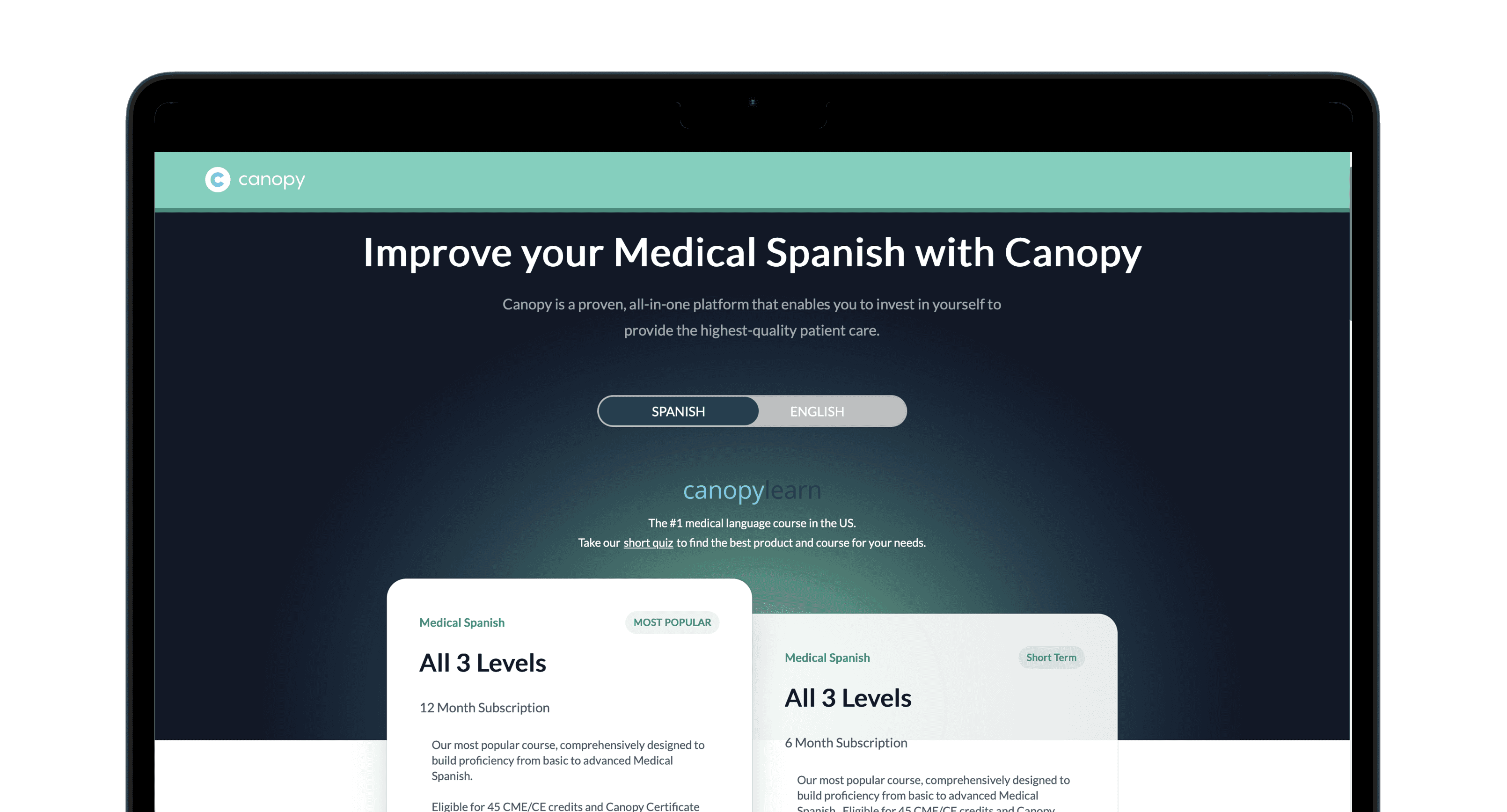
Healthcare professionals were downloading Canopy Speak with enthusiasm, but within weeks, they’d abandon it. The app had become a glorified phrase dictionary useful in a pinch, but failing to create lasting language skills or build the confidence providers needed for real patient conversations.
My mission: Transform Canopy Speak from a passive reference tool into an engaging learning platform that healthcare professionals would actually use and more importantly, one that would genuinely prepare them to communicate with patients when it matters most.
The Challenge
Healthcare professionals were downloading Canopy Speak with enthusiasm, but within weeks, they’d abandon it. The app had become a glorified phrase dictionary useful in a pinch, but failing to create lasting language skills or build the confidence providers needed for real patient conversations.
My mission: Transform Canopy Speak from a passive reference tool into an engaging learning platform that healthcare professionals would actually use and more importantly, one that would genuinely prepare them to communicate with patients when it matters most.
The Challenge
Healthcare professionals were downloading Canopy Speak with enthusiasm, but within weeks, they’d abandon it. The app had become a glorified phrase dictionary useful in a pinch, but failing to create lasting language skills or build the confidence providers needed for real patient conversations.
My mission: Transform Canopy Speak from a passive reference tool into an engaging learning platform that healthcare professionals would actually use and more importantly, one that would genuinely prepare them to communicate with patients when it matters most.
Timeline
4 months
Timeline
4 months
Role
UX/UI Designer
Product redesign & strategy
Role
UX/UI Designer
Product redesign & strategy
Team
1 UX/UI Designer
1 Engineer
2 Medical Researchers
1 Manager
Team
1 UX/UI Designer
1 Engineer
2 Medical Researchers
1 Manager
Feedback from the Old App
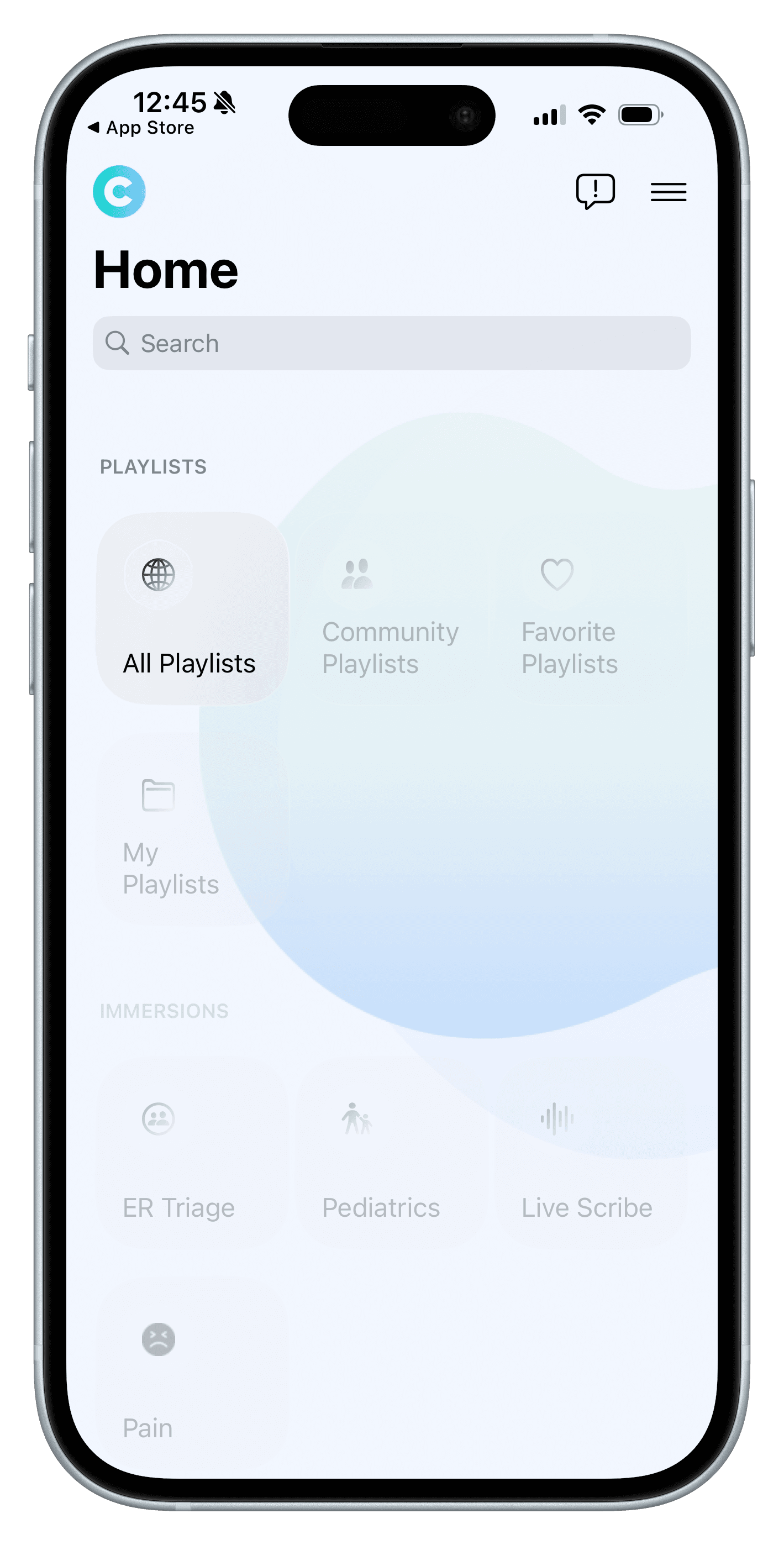
Before the redesign, user feedback and usability testing revealed critical issues that were preventing healthcare professionals from effectively using Canopy Speak. These insights became the foundation for our redesign strategy.
Feedback from the Old App
Before the redesign, user feedback and usability testing revealed critical issues that were preventing healthcare professionals from effectively using Canopy Speak. These insights became the foundation for our redesign strategy.
Confusing Structure & Navigation
The app has a confusing structure; users may struggle to find lessons, track progress, or access rewards.
Confusing Structure & Navigation
The app has a confusing structure; users may struggle to find lessons, track progress, or access rewards.
Lack of Clear Learning Path
Users don’t have a structured curriculum or clear path forward, making it unclear what to learn next or how to progress through the content.
Lack of Clear Learning Path
Users don’t have a structured curriculum or clear path forward, making it unclear what to learn next or how to progress through the content.
Accessibility Issues
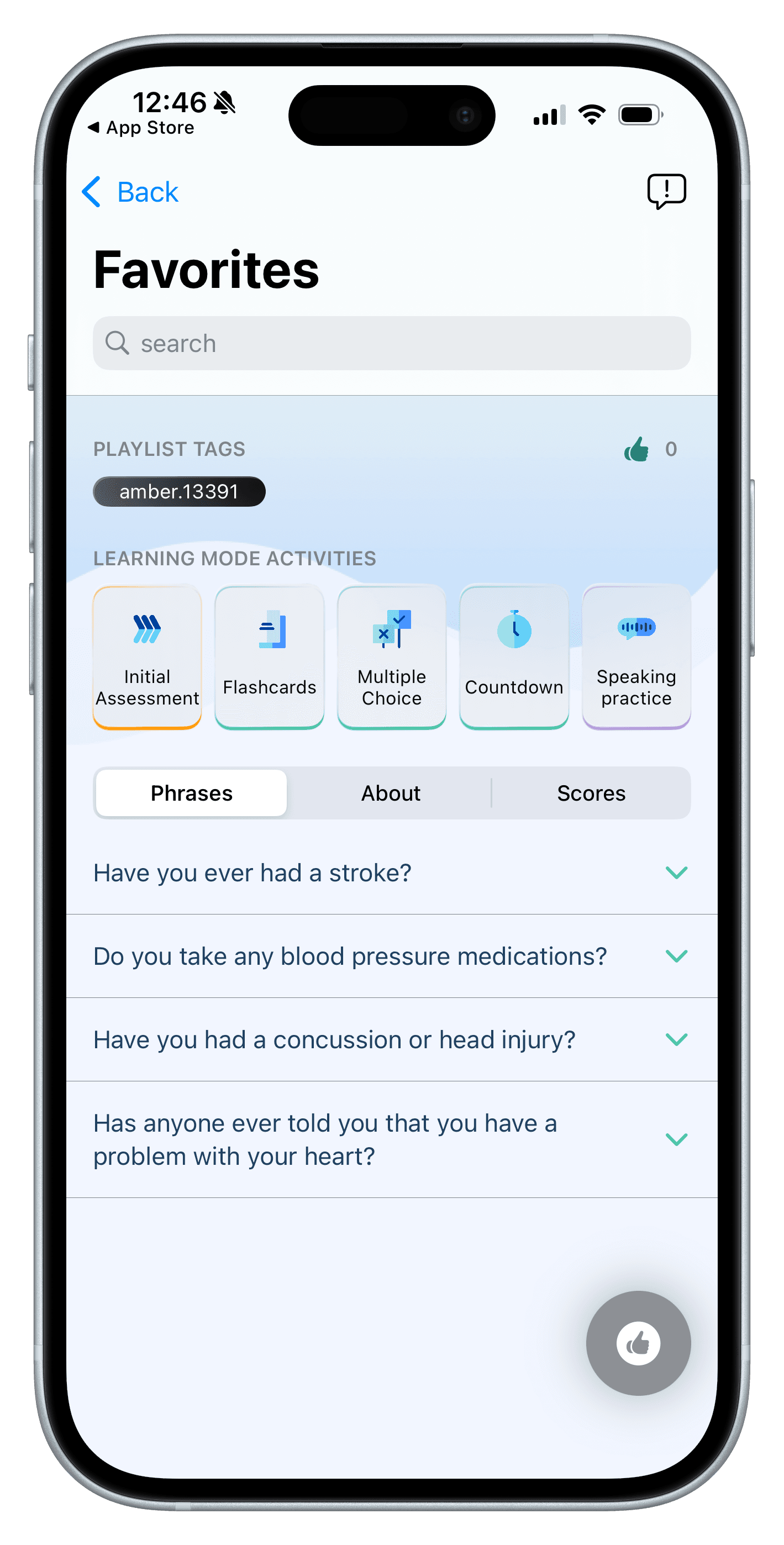
Low contrast colors and small fonts may make it difficult for users with visual challenges to interact with the app comfortably.
Accessibility Issues
Low contrast colors and small fonts may make it difficult for users with visual challenges to interact with the app comfortably.
Poor Visual Hierarchy
Layout & Spacing: Some screens feel overcrowded, and important elements are not visually prioritized, making it hard for users to scan information quickly.
Poor Visual Hierarchy
Layout & Spacing: Some screens feel overcrowded, and important elements are not visually prioritized, making it hard for users to scan information quickly.

Research & Discovery
Research Methods
User Interviews
12 healthcare providers (nurses, doctors, medical assistants)
Contextual Inquiry
Shadowed 5 clinicians during patient interactions
Competitive Analysis
Evaluated 4 similar medical translation apps
Analytics Review
Analyzed existing app usage data and drop-off points
Research & Discovery
Research Methods
User Interviews
12 healthcare providers (nurses, doctors, medical assistants)
Contextual Inquiry
Shadowed 5 clinicians during patient interactions
Competitive Analysis
Evaluated 4 similar medical translation apps
Analytics Review
Analyzed existing app usage data and drop-off points
Research & Discovery
Research Methods
User Interviews
12 healthcare providers (nurses, doctors, medical assistants)
Contextual Inquiry
Shadowed 5 clinicians during patient interactions
Competitive Analysis
Evaluated 4 similar medical translation apps
Analytics Review
Analyzed existing app usage data and drop-off points
Key Insights
Key Insights
Speed is Everything
Providers need to access phrases in under 5 seconds during patient interactions.
Learning ≠ Retention
Despite completing lessons, users had difficulty recalling phrases when needed in real-time conversations.
Confidence > Vocabulary
Providers knew some phrases but lacked confidence to use them in high-pressure situations
Specialty-Specific Matters
General phrases aren't enough; cardiology nurses need different vocabulary than pediatric nurses
Context Drives Recall
Phrases learned in scenario context were retained 3x better than isolated vocabulary
Share Progress
Reluctance to share work-in-progress reduced exposure to peers’ progress and motivation.
Design Process
I took a systematic approach to redesigning Canopy Speak, starting with understanding current pain points and iterating through multiple rounds of testing with real healthcare providers.
Design Process
I took a systematic approach to redesigning Canopy Speak, starting with understanding current pain points and iterating through multiple rounds of testing with real healthcare providers.
1. Audit & Ideation
Conducted a comprehensive audit of the existing app, analyzing analytics data to identify drop-off points and feature gaps. Mapped user journeys for both quick reference and learning scenarios. Identified that 78% of users never returned after their first session.
1. Audit & Ideation
Conducted a comprehensive audit of the existing app, analyzing analytics data to identify drop-off points and feature gaps. Mapped user journeys for both quick reference and learning scenarios. Identified that 78% of users never returned after their first session.
Key Activities:
Heuristic evaluation of current app against Nielsen’s principles
Analytics deep-dive (drop-off rates, session duration, feature usage)
Journey mapping for time-pressured vs. learning-focused scenarios
Prioritization matrix for feature additions
Key Activities:
Heuristic evaluation of current app against Nielsen’s principles
Analytics deep-dive (drop-off rates, session duration, feature usage)
Journey mapping for time-pressured vs. learning-focused scenarios
Prioritization matrix for feature additions
Key Activities:
Heuristic evaluation of current app against Nielsen’s principles
Analytics deep-dive (drop-off rates, session duration, feature usage)
Journey mapping for time-pressured vs. learning-focused scenarios
Prioritization matrix for feature additions
2. Information Architecture Redesign
Conducted card sorting sessions with 8 healthcare providers to understand their mental models for organizing medical phrases. Created a new scenario-based taxonomy that reduced average time-to-phrase from 47 seconds to 8 seconds
2. Information Architecture Redesign
Conducted card sorting sessions with 8 healthcare providers to understand their mental models for organizing medical phrases. Created a new scenario-based taxonomy that reduced average time-to-phrase from 47 seconds to 8 seconds
3. Prototyping & Usability Testing
Built interactive prototypes in Figma and conducted three rounds of usability testing with 15 healthcare providers. Tested both in controlled settings and in situation during actual clinical shifts (with simulated scenarios).
3. Prototyping & Usability Testing
Built interactive prototypes in Figma and conducted three rounds of usability testing with 15 healthcare providers. Tested both in controlled settings and in situation during actual clinical shifts (with simulated scenarios).
4. Visual Design & Design System
Evolved Canopy’s existing brand into a cohesive mobile design system. Prioritized legibility (large text for glanceability), touch targets for one-handed use, and accessibility (WCAG AAA contrast for medical environments).
4. Visual Design & Design System
Evolved Canopy’s existing brand into a cohesive mobile design system. Prioritized legibility (large text for glanceability), touch targets for one-handed use, and accessibility (WCAG AAA contrast for medical environments).
High Fidelity Design
High Fidelity Design
Final designs that balance luxury aesthetics with intuitive usability.
Final designs that balance luxury aesthetics with intuitive usability.
Onboarding Welcome Screen
Onboarding Welcome Screen
Onboarding Welcome Screen
Personalized Setup Experience
The onboarding experience guides new users through account setup and asks key questions about their learning path preferences to deliver a personalized home page from day one.
Welcome and sign-in flow
Select medical specialty for customized content
Choose target languages based on patient needs
Set learning goals and practice frequency
Personalized Setup Experience
The onboarding experience guides new users through account setup and asks key questions about their learning path preferences to deliver a personalized home page from day one.
Welcome and sign-in flow
Select medical specialty for customized content
Choose target languages based on patient needs
Set learning goals and practice frequency
Redesigned Home Page
Redesigned Home Page
Redesigned Home Page
Effortless Navigation & Discovery
Research revealed users struggled to find content quickly. The redesigned home page introduces a clean layout with effortless navigation. A motivational popup celebrates progress and offers quick access to practice tools.
Quick Shortcuts: Direct access to Playlists, Pain, and My Journey
Swipe Practice: Engaging vocabulary and phrase review
Specialty Playlists: Content tailored to medical fields
Motivational Popup: Progress reminders with quiz/flashcard options
Effortless Navigation & Discovery
Research revealed users struggled to find content quickly. The redesigned home page introduces a clean layout with effortless navigation. A motivational popup celebrates progress and offers quick access to practice tools.
Quick Shortcuts: Direct access to Playlists, Pain, and My Journey
Swipe Practice: Engaging vocabulary and phrase review
Specialty Playlists: Content tailored to medical fields
Motivational Popup: Progress reminders with quiz/flashcard options
My Journey: Rewards & Milestones
My Journey: Rewards & Milestones
My Journey: Rewards & Milestones
Motivation Through Progress
Staying consistent in language learning depends on feeling growth and connection. The My Journey page highlights meaningful wins while making learning social and motivating.
Visible Rewards: Unlockable features and achievement milestones
Light Competition: Leaderboards encourage consistency without pressure
Collaborative Pods: Track group progress and connect with peers
Connected Learning: Rewards and community make practice engaging
Motivation Through Progress
Staying consistent in language learning depends on feeling growth and connection. The My Journey page highlights meaningful wins while making learning social and motivating.
Visible Rewards: Unlockable features and achievement milestones
Light Competition: Leaderboards encourage consistency without pressure
Collaborative Pods: Track group progress and connect with peers
Connected Learning: Rewards and community make practice engaging
AI Private Tutor
AI Private Tutor
AI Private Tutor
Personalized Guidance
The AI Private Tutor guides learners through the app, answers questions, and provides personalized feedback, creating a supportive learning experience for medical language practice.
Guided Navigation: Directs users to the right content based on needs
Progress Feedback: Tracks performance and suggests next steps
Contextual Support: Answers questions for real-world scenarios
Usability Improvements: Reduces cognitive load and prevents errors
Personalized Guidance
The AI Private Tutor guides learners through the app, answers questions, and provides personalized feedback, creating a supportive learning experience for medical language practice.
Guided Navigation: Directs users to the right content based on needs
Progress Feedback: Tracks performance and suggests next steps
Contextual Support: Answers questions for real-world scenarios
Usability Improvements: Reduces cognitive load and prevents errors
Impact & Results
Impact & Results
After launching the redesigned app with learning paths, playlists and AI simulations, we measured significant improvements in engagement, retention, and actual language proficiency.
After launching the redesigned app with learning paths, playlists and AI simulations, we measured significant improvements in engagement, retention, and actual language proficiency.
4.2x
Increase in average session duration (15 min vs. 3.5 min)
Increase in average session duration (15 min vs. 3.5 min)
81%
30-day retention rate (up from 28%)
30-day retention rate (up from 28%)
92%
Users completed 1+ AI simulation within first week
Users completed 1+ AI simulation within first week
What customers are saying

Carlos M.
Physician Assistant
“Unlocking new simulation levels feels like a game. I’m on a 30-day streak! Never thought learning medical Spanish could be this engaging.”

Jennifer K.
Medical Assistant
“The playlists are perfect for my morning commute. I can learn 10-15 phrases before my shift starts. The virtual tutor answers all my grammar questions!”

Dr. Michael R
Cardiologist
“Finally a language app that understands my specialty! The cardiology track has exactly the phrases I need. The progress tracking keeps me motivated.”
What customers are saying
Carlos M.
Physician Assistant
“Unlocking new simulation levels feels like a game. I’m on a 30-day streak! Never thought learning medical Spanish could be this engaging.”
Jennifer K.
Medical Assistant
“The playlists are perfect for my morning commute. I can learn 10-15 phrases before my shift starts. The virtual tutor answers all my grammar questions!”
Dr. Michael R
Cardiologist
“Finally a language app that understands my specialty! The cardiology track has exactly the phrases I need. The progress tracking keeps me motivated.”
What customers are saying
Carlos M.
Physician Assistant
“Unlocking new simulation levels feels like a game. I’m on a 30-day streak! Never thought learning medical Spanish could be this engaging.”
Jennifer K.
Medical Assistant
“The playlists are perfect for my morning commute. I can learn 10-15 phrases before my shift starts. The virtual tutor answers all my grammar questions!”
Dr. Michael R
Cardiologist
“Finally a language app that understands my specialty! The cardiology track has exactly the phrases I need. The progress tracking keeps me motivated.”
Future Improvements
01
Adaptive Learning Paths: Personalize lesson sequences based on individual progress and learning patterns
02
Specialty-Based Playlists: Create curated learning collections tailored to specific medical departments and roles
03
Collaborative Features: Build team accountability with shared goals, peer progress tracking, and group challenges
04
Hospital Partnerships: Partner with health systems and training programs to embed Canopy into existing workflows
05
Business-Critical Integration: Position the platform as essential for care delivery and provider training, not just a learning tool

Future Improvements
01
Adaptive Learning Paths: Personalize lesson sequences based on individual progress and learning patterns
02
Specialty-Based Playlists: Create curated learning collections tailored to specific medical departments and roles
03
Collaborative Features: Build team accountability with shared goals, peer progress tracking, and group challenges
04
Hospital Partnerships: Partner with health systems and training programs to embed Canopy into existing workflows
05
Business-Critical Integration: Position the platform as essential for care delivery and provider training, not just a learning tool
Future Improvements
01
Adaptive Learning Paths: Personalize lesson sequences based on individual progress and learning patterns
02
Specialty-Based Playlists: Create curated learning collections tailored to specific medical departments and roles
03
Collaborative Features: Build team accountability with shared goals, peer progress tracking, and group challenges
04
Hospital Partnerships: Partner with health systems and training programs to embed Canopy into existing workflows
05
Business-Critical Integration: Position the platform as essential for care delivery and provider training, not just a learning tool